
By CELEBRAT Brand Operations Officer · Published:11/09/2026
About the author CELEBRAT Brand Operations Officer — the byline of the brand operations function at CELEBRAT, the mobile accessories brand of Guangzhou Yison Electronic Technology Co., Ltd. Fifteen years in international trade and export sales, with the past three focused on brand operations and channel marketing for mobile accessories. Works directly with overseas distributors, importers, and retail chains on product positioning, distributor programmes, and market launch planning. The display standards below are the ones issued to dealers in that work.
Key takeaways
- Organise by customer need, not by brand or product type. The customer walks in thinking “I need to charge my phone”, not “I need SKU 412”.
- Similar-looking products need a comparison layer — 3 to 5 specification points per card, in plain language. Without it, the customer buys on price alone.
- Placement is not decoration. Research on display types shows end-cap positions drive category purchase while shelf positions drive brand choice — they do different jobs.
- A display is a maintenance routine, not an installation. Price labels drift, samples break, discontinued models linger.
- For distributors, dealer display support is one of the cheapest ways to increase reorders — it costs a PDF and a card, not a discount.
A mobile accessories retail display works when it does three jobs at once: it makes the right product findable within seconds, it makes similar products comparable without a salesperson, and it survives daily handling without degrading. A display that only looks organised but answers no customer question is decoration, not merchandising.
Stocking the right products is only half of a retail sale. The customer also has to notice the product, understand how it differs from the one next to it, and feel confident enough to pay for it.
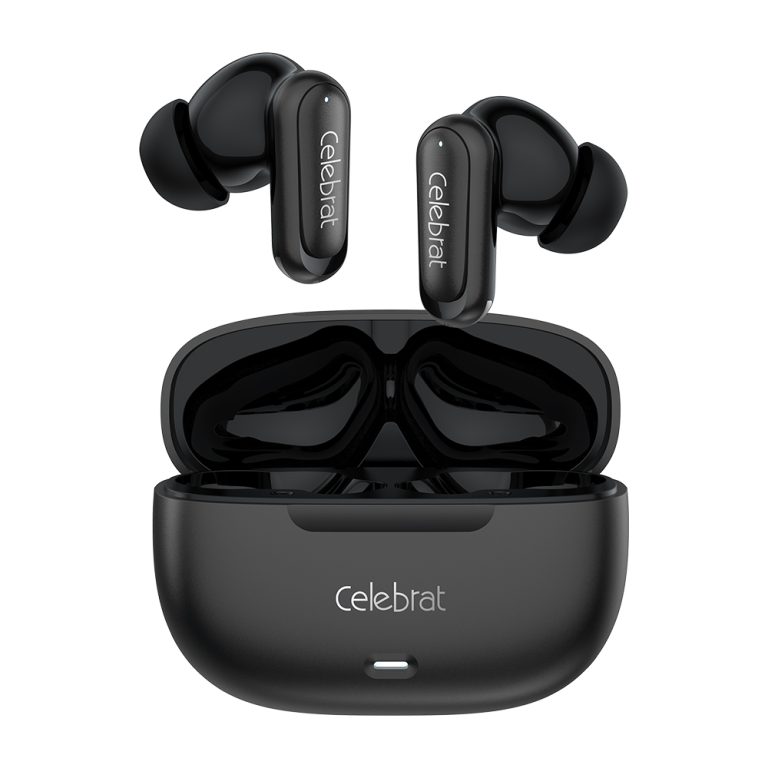
That is harder in mobile accessories than in most categories. Two TWS earbuds can look almost identical on a shelf while differing in battery capacity, driver size, Bluetooth version, microphone configuration, and price. If the display does not surface those differences, the customer defaults to the only variable left visible: price.
This is also where distributors have an unexploited advantage. Supplying product is a transaction; supplying the display system that helps a dealer sell it is a relationship. The second is much harder to replace with a cheaper competitor.
What Makes a Mobile Accessories Retail Display Work?
A working display satisfies four conditions: products are grouped by what the customer came to do, similar products carry comparable information, the highest-value items sit where attention already goes, and the whole thing is maintained on a schedule. Miss any one and the other three lose most of their effect.
| Principle | What it looks like in store | The problem it solves |
| Findability | Zones named by need: audio, charging, cables, lifestyle | Customer cannot locate the category and leaves |
| Comparability | Uniform spec cards across models in the same zone | Customer cannot tell products apart, buys on price |
| Prioritisation | Hero models at eye level, core products easy to reach | Good products stay invisible behind average ones |
| Maintenance | Fixed checklist, monthly review, current prices | Display decays and quietly misinforms |
Most stores do the first one partially and skip the other three. The result is a display that photographs well and sells poorly.
Why Do In-Store Displays Still Matter for Phone Accessories?
They matter because most accessory purchases are decided in the store, not before it. Shoppers arrive with a problem, not a model number, and the display is what converts that problem into a specific product.
Two independent research programmes support this, with an important caveat about scope that is worth stating plainly.
What the shopper research shows
Frank Mayer and Associates commissioned a national survey of 1,119 U.S. shoppers in January 2026, all of whom shop in physical stores at least weekly. The report found:
| Finding | Figure | What it means for an accessories shop |
| Discovered a new product or brand from a retail display | 76% | The display is a discovery channel, not just a storage solution |
| Said displays influenced their choice when comparing similar products or brands | 63% | Comparison happens at the shelf — this is where the sale is won or lost |
| Said product presentation is important in in-store purchase decisions | 87% | Presentation is a purchase factor, not a cosmetic one |
| Purchase items they did not originally intend to buy (sometimes / usually / always) | ~9 in 10 | Adjacent placement and cross-merchandising have real headroom |
Source: Frank Mayer and Associates, 2026 In-Store Retail Display Influence Report — commissioned January 2026, 1,119 U.S. shoppers, non-probability online panel, ±3pp approximate margin of error at 95% confidence.
What the retail-academic research shows
A study in the Journal of Retailing (Han, Chandukala & Li, 2022) analysed scanner panel data from a large U.S. grocery chain across six distinct display positions, and found that not all display locations do the same job:
| Display position | Strongest effect on | Practical use for accessories |
| Front end cap | Category purchase — whether the shopper buys in the category at all | New-category entry, seasonal push, impulse audio |
| Shelf display | Brand choice — which brand they pick | The main comparison zone for TWS and chargers |
| Secondary location | Smallest effect | Reminder placement only, not a primary sales position |
| Store rear | No significant effect on purchase incidence | Do not put your best product here |
The study also found that displays placed closer to the focal category have a larger impact, and that optimising display allocation across positions produced an average 11.15% increase in retailer revenue in that dataset.
Source: Han, Y., Chandukala, S. R., & Li, S. (2022). Impact of different types of in-store displays on consumer purchase behavior. Journal of Retailing, 98(3), 432–452. doi.org/10.1016/j.jretai.2021.10.002
The caveat you should not skip
Both studies are from the United States. The Journal of Retailing data comes from grocery soft drinks, not mobile accessories. Neither tells you the conversion rate in your store.
What they do establish is a mechanism: display position changes what a shopper considers, and comparison information changes what they choose. That mechanism transfers across categories; the specific percentages do not. Treat the numbers as evidence that displays matter, and your own sell-through data as the evidence for what to do next.
How Should You Organise the Display?
Organise by what the customer came to do, then by category inside that. Brand-blocking — putting every product from one brand together because it is administratively convenient — serves the supplier, not the shopper.
| Display zone | Products | Customer need it answers |
| Audio | TWS, wired earphones, headphones, speakers | Music, calls, entertainment |
| Charging | Wall chargers, car chargers, power banks | Daily charging, fast charging, travel |
| Connectivity | Data cables, adapters, OTG | Device connection, data transfer |
| Protection & lifestyle | Cases, screen protection, wearables | Device care, everyday carry |
Four zones is a maximum, not a target. A 20-square-metre shop should run two.
What if the shop is small?
You do not need four separate display fixtures. You need four clearly labelled groups. In practice:
- Use a single shelf with four colour-coded category labels rather than four sections.
- Put the highest-turn category at eye level, not the one with the best margin.
- Keep cable and adapter hooks at the counter — they are add-on purchases, not destination purchases.
- Reserve one small “new arrivals” tray. Novelty needs a home, or it gets scattered.
The test is not whether a zone looks distinct. It is whether a customer who has never been in the shop can find the audio section without asking.
How Do You Make Similar-Looking Products Comparable?
Give every model in a zone the same three to five specification points, in the same order, on the same card format. Uniformity is what creates comparability — an inconsistent card is worse than no card, because it implies the information is not reliable.
| Category | Specification points to standardise |
| TWS earphones | Battery capacity · driver size · Bluetooth version · playtime · microphone |
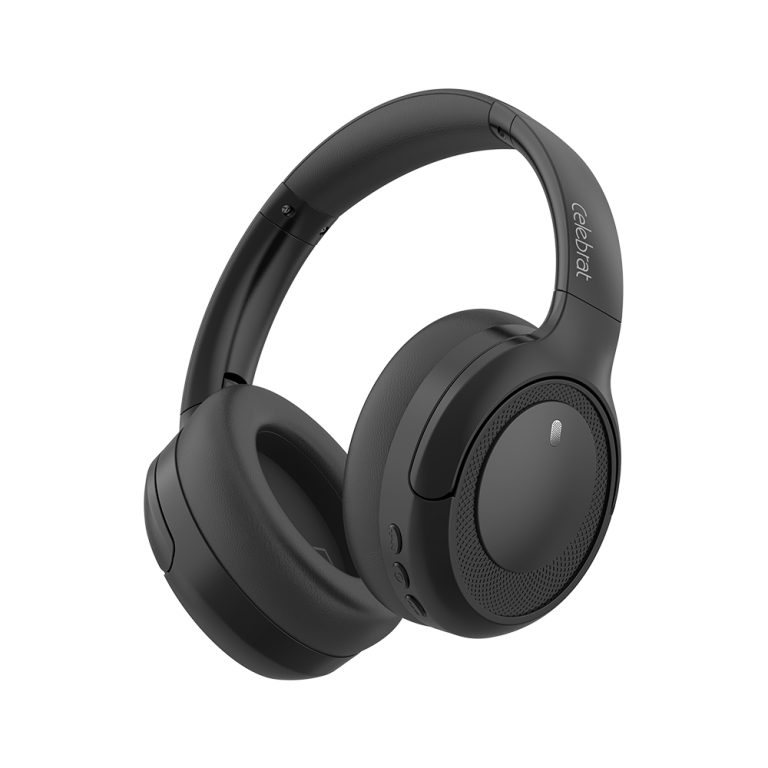
| Headphones | Driver size · battery life · wearing style · noise control |
| Chargers | Output power · supported protocols (PD/QC) · port count · compatibility |
| Data cables | Connector type · length · charging power · data-transfer support |
| Speakers | Output power · battery life · connection options · use scenario |
Three rules that prevent most display problems:
Cap the card at five points. A card with eleven specifications is a datasheet, and customers do not read datasheets on a shelf.
Match the card to the box. Every figure on the card must match the packaging and the product documentation. A card that overstates charging power generates returns, complaints, and a dealer who no longer trusts your materials — this is the single most expensive display error a distributor can make.
Lead with the differentiator. If two models share four of five points, the fifth one is the reason the customer chooses. Put it first on that card, not fifth.
Where Should Each Product Go?
Rank products into three visual tiers and allocate space accordingly. Space is your scarcest resource; giving it equally to every SKU is the same as giving it to none.
| Tier | What belongs here | Where it goes | Share of display space |
| Hero | Design-led or feature-led models that stop attention | Eye level, facing the entrance or aisle | ~20% |
| Core | Reliable everyday models that carry volume | Eye level to waist height, easy reach | ~50% |
| Supporting | Cables, adapters, cases, add-ons | Counter, hangers, checkout zone | ~30% |
The graphic above the shelf does one job: it explains why the hero product exists. If the card says “13 mm driver” and nothing else, the hero is only a product with a big box.
Apply the placement finding to a real shelf
The Journal of Retailing result is directly usable if you separate the two jobs:
- End cap or entrance position → put a category-entry product there. For accessories, that is usually TWS or a fast-charging bundle, because the goal is to make the shopper buy in the category at all.
- Main shelf, in the category → put the comparison set there. This is where brand choice is decided, so this is where uniform spec cards matter most.
- Don’t relocate your best product to the back of the store for space reasons. In the study, rear and secondary positions had no significant effect on whether the shopper bought in the category.
One more finding worth acting on: displays placed closer to the focal category outperform displays placed further away. A charger display next to the cables beats the same display on the opposite wall.
How Does Cross-Merchandising Increase Basket Size?
Pair products that are genuinely compatible and bought in the same trip, and place them within arm’s reach of each other. With roughly nine in ten shoppers making at least some unplanned purchases, adjacency is one of the few levers a small shop fully controls.
| Main product | Pair with | Placement idea |
| TWS earphones | Charging cable, small charger | Same shelf, lower tier |
| Wall charger | Compatible cable | Cable hooks directly beneath the charger row |
| Power bank | Short cable, travel pouch | Side-by-side “travel” grouping |
| Headphones | Portable speaker | One continuous audio zone |
| Phone case | Screen protector, cleaning kit | Counter tray at checkout |
The compatibility rule: never place two products together in a way that implies they work together unless the specifications actually support it. A cable rated below the charger’s output will charge slowly or fail, and the customer will blame the shop — not the specification sheet.
How Do You Answer Customer Questions Before They Are Asked?
A display that requires a salesperson for every question does not scale, and it fails completely when the shop is busy. Anticipate the five questions that come up most in accessories retail:
- What is the difference between these two models?
- How long does the battery actually last?
- Will this charger work with my phone?
- Which cable do I need?
- What happens if it stops working?
Answer them on the shelf, not in conversation:
- Difference → uniform comparison cards side by side
- Battery → one plain-language line: “about 5 hours of playback”, not “45 mAh × 2 cycles”
- Compatibility → a small compatibility chart for the top-selling device brands in your market
- Cable → a three-option decision card (charging only / fast charging / data + charging)
- Warranty → a single visible line: “12-month replacement, receipt required”
Translate the specification into a benefit, and keep both. The specification stays on the card for the customer who wants it; the benefit sits beside it for the customer who does not.
| Instead of only | Add |
| 13 mm dynamic driver | Fuller sound at higher volume |
| 20 W PD output | Charges a modern phone to about half in 30 minutes |
| 10,000 mAh capacity | Roughly two full phone charges |
| Bluetooth 5.3 | More stable connection, less drop-out in crowded places |
A QR code linking to a 20-second demo video is worth more than a paragraph of copy for anything that needs to be seen in use — fit, pairing, or cable flexibility.
How Do You Keep a Display Performing Over Time?
Run a fixed check rather than relying on someone noticing. Displays fail gradually: a price label drifts, a sample gets borrowed, a discontinued model stays on the shelf for eight months telling customers you are out of date.
Daily opening check
- Categories are separated and correctly labelled
- Hero products are visible and reachable
- Price labels match the current price list
- Demo units are clean, charged, and functional
- Related accessories sit with their main product
- Promotional material is current, not last season’s
- Products on display are actually in stock
- Staff can explain the differences between the top models
Monthly review
Review four things: which categories are selling, which questions customers keep asking, which products are asked about but not bought, and what dealers are reporting.
The most useful diagnostic: if customers repeatedly ask about a product and then do not buy it, the problem is almost never the display. Check, in this order — price against the local market, whether the benefit is explained in plain language, compatibility clarity, and stock. Rebuilding the whole display before checking those four is the most common wasted effort in accessories retail.
What Should a Distributor Provide to Support Dealer Displays?
Provide a display kit, not a catalogue. A catalogue tells the dealer what exists; a kit tells them how to sell it. This is one of the few support activities that raises reorders without discounting.
| Material | What it should do | Effort for the distributor |
| Uniform spec cards | Make models comparable at a glance | One template, per category |
| Category labels / posters | Let customers self-navigate | Printable, low cost |
| Product photos (high-res) | Support online listings and in-store print | Already needed for your own site |
| 20–30 second demo videos | Explain fit, pairing, cable flexibility | One shoot, reuse everywhere |
| Compatibility chart | Answer the top objection without staff | Update twice a year |
| Comparison sheet (top 5 models) | Give staff a script, not a pitch | One page |
| Current price list | Prevent margin leakage from stale prices | Monthly |
Match the kit to the dealer’s tier. A new small retailer needs three items: spec cards, one category poster, and a photo pack. Sending a 40-page merchandising manual to a two-shelf shop guarantees it stays in a drawer. Larger accounts can absorb the full kit and a planogram.
If you have not yet segmented your dealer base by purchasing behaviour and channel coverage, the companion guide on B2B customer segmentation for mobile accessories dealers explains how to grade accounts A/B/C and match support to each tier. And if you are still building the dealer network itself, the 90-day market launch plan covers recruitment and first-order sequencing.
How Does CELEBRAT Fit a Multi-Category Display?
A single-category supplier forces a dealer to build the display in fragments, sourcing audio from one brand and charging from another — which produces exactly the brand-blocked, hard-to-navigate shelf described above. A multi-category range lets one zone be built properly.
CELEBRAT is a mobile accessories brand under Guangzhou Yison Electronic Technology Co., Ltd. The parent company entered the mobile accessories industry in 1998, and CELEBRAT was introduced in 2017 as part of its brand development strategy. According to the brand’s published distributor programme, the range covers more than 20 product categories with over 200 new products introduced annually, including audio, charging, data cables, smart wearables, and protection products.
That coverage maps onto the zones above:
- Audio zone — TWS, wired earphones, headphones, speakers from one range, so spec cards and packaging stay visually consistent.
- Charging zone — chargers, cables, and power banks that are designed to work together, which makes the compatibility chart accurate rather than aspirational.
- Comparison layer — consistent packaging and specification conventions reduce the work of building uniform cards.
- Support materials — product photography and specification documentation usable for both in-store print and dealer online listings.
Before committing, confirm the specific models you need are in stock, that specifications match your market’s requirements, and that packaging and documentation suit your language and certification needs.
Frequently Asked Questions
How should a mobile accessories shop display its products?
Group products by customer need — audio, charging, connectivity, protection — rather than by brand. Inside each group, use uniform specification cards so similar models can be compared directly, and place the highest-interest models at eye level. Label every group so first-time customers can navigate without asking.
Which mobile accessories should go in the most visible position?
Products with strong customer interest, clear benefits, and reliable stock. Put a category-entry product (often TWS or a fast-charging bundle) at the entrance or end cap, and keep the comparison set on the main shelf. Research on display positions found end caps drive category purchase while shelf displays drive brand choice.
How can a retailer increase the number of accessories bought per visit?
Place genuinely compatible products within arm’s reach — cables under chargers, chargers beside power banks, cases and screen protectors at the counter. Since most shoppers make at least some unplanned purchases, adjacency is one of the few levers small shops fully control. Only pair products whose specifications actually support the combination.
What should a mobile accessories distributor provide to retailers?
A display kit rather than a catalogue: uniform spec cards, category labels, high-resolution photos, short demo videos, a compatibility chart, a one-page comparison sheet, and a current price list. Match the kit to dealer size — a small shop needs three items, not a full merchandising manual.
Do retail displays actually influence buying decisions?
In Frank Mayer’s 2026 survey of 1,119 U.S. shoppers, 76% said they had discovered a new product or brand from a retail display, 63% said displays had influenced their choice when comparing similar products, and 87% said product presentation is important in in-store purchase decisions. The figures are U.S.-specific and should not be read as a guaranteed uplift in other markets.
How often should a retail display be updated?
Check daily against a short opening list — labels, demo units, stock, signage — and review monthly against sales data and customer questions. Replace promotional material each season and remove discontinued models immediately; a shelf showing last season’s products tells customers the shop is not current.
What is the biggest mistake in mobile accessories merchandising?
Displaying by brand instead of by customer need, and giving every product the same amount of space. Both make the shelf look full while making it hard to shop. The second most common mistake is a spec card that overstates performance — it produces returns and destroys the dealer’s trust in your materials.
Conclusion: A Display Should Answer Questions, Not Just Hold Products
Retail display in mobile accessories is not a visual discipline. It is a decision-support discipline.
The products are too similar, the packaging too small, and the specifications too technical for a customer to work it out alone in the three to seven seconds they spend looking. A display that closes that gap sells; one that merely arranges stock does not.
Four things do most of the work: zone by need, standardise the comparison cards, place products by the job each position does, and maintain the whole thing on a schedule.
For distributors, the same four things are a dealer-support product — and a cheaper route to reorders than any discount you could offer.
Building a display programme for your dealers?
Review the CELEBRAT range across audio, charging, cables, and protection, and talk to the team about display support for wholesale and distribution partners.
Sources
- Frank Mayer and Associates (2026) — 2026 In-Store Retail Display Influence Report. Commissioned January 2026; 1,119 U.S.-based shoppers who shop in physical stores at least weekly; non-probability online panel, ±3pp approximate margin of error at 95% confidence. https://www.frankmayer.com/ebook/2026-in-store-retail-display-influence-report/
- Han, Y., Chandukala, S. R., & Li, S. (2022) — Impact of different types of in-store displays on consumer purchase behavior. Journal of Retailing, 98(3), 432–452. https://doi.org/10.1016/j.jretai.2021.10.002
Data note: the shopper survey is U.S.-specific; the Journal of Retailing study used scanner data from a U.S. grocery chain in the soft drinks category. Neither measures mobile accessories retail directly. They are cited as evidence of a mechanism — display position and comparison information change shopper behaviour — not as conversion benchmarks for any store or market.